



Most people think that Bluetooth devices are heavily regulated on planes. That’s because airlines ask you to set your devices to Airplane Mode during the flight to limit interference with the aircraft communication systems. And since Bluetooth is another type of connection, it could also interfere.
It turns out that Bluetooth actually is pretty harmless. It can pose a risk to older aircraft models, which is why Bluetooth devices are still regulated on some airlines, but for the most part, it’s harmless. All newer aircraft are built to handle the use of Bluetooth devices.
You’re Allowed to Use Bluetooth Devices on Planes (For the Most Part)
Most commonly, you’ll be allowed to use Bluetooth headphones and other Bluetooth devices during the flight, except for the security briefing, take-off, landing, and any turbulence.
However, the rules vary a lot between different airlines. Of all the popular airlines, only few of them (on flights without WiFi) don’t allow using Bluetooth devices during the flight. Other ones, like Lufthansa, Qatar Airways, Southwest Airlines, Spirit Airlines, and Wizz Air allow using Bluetooth devices during all stages of the flight, even take-off, and landing. You’ll find out the specific rules for 22 popular airlines further down in this article.
There aren’t any restrictions from airline regulators that would limit the use of Bluetooth devices during the flight. They only limit cellular connections, which may interfere with the airline hardware, so they ask passengers to switch their devices to Airplane Mode, which blocks calls and mobile data.
FAA (Federal Aviation Administration), which is the main airline regulator in the US, actually loosened the limits for small electronic devices back in 2013. Now they allow the use of small devices in Airplane Mode (even ones with Bluetooth connections turned on) during take-off and landing.
Bluetooth Will Continue Working With Most Devices in Airplane Mode
Airplane Mode only blocks cellular connections and WiFi, which connect your phone to nearby cellular towers or routers. This includes calls, mobile data, and WiFi, but not Bluetooth. That’s because Bluetooth is a completely different connection, with a much shorter range.
Some older phones, laptops, and other devices may disable Bluetooth by turning on Airplane mode. However, virtually all modern devices, including most Android and Apple devices and most laptops, will keep Bluetooth on while the device is switched to Airplane Mode.
To test if your device supports using Bluetooth in Airplane Mode, first turn on Airplane Mode, and then try turning on Bluetooth.
How to Use Bluetooth Headphones on a Plane to Watch In-Flight Entertainment
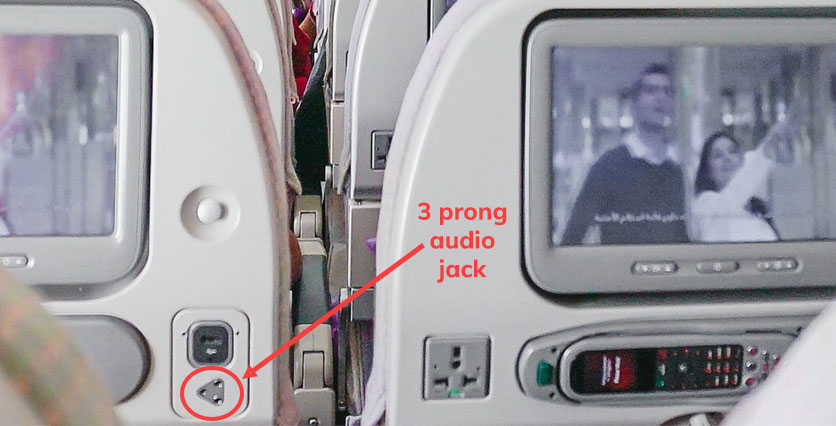
The problem with most airlines is that they update their aircraft somewhat rarely, and the devices that you’ll find onboard are most likely 10-40 years old. Furthermore, Each airline has a different fleet of aircraft, and each one designs its entertainment systems differently. Most aircraft entertainment systems today use a 2-prong audio jack (or even a 3-prong on a few, rare occasions), instead of the typical, single-pin, 3.5mm audio jack, and they aren’t compatible with Bluetooth devices.
However, there’s a workaround for this. You can purchase a universal headphone Bluetooth adapter, which will let you connect your Bluetooth headphones to the built-in entertainment systems. For example, you could use the Sudio Flyg Bluetooth Transmitter, which supports 1-prong and 2-prong audio jack connections (which covers most aircraft models today). You simply need to plug it in, pair it with your Bluetooth Headphones, and start listening to the built-in entertainment systems.
Read Next: How to Watch Netflix on a Plane (Guide)
Airline Rules for Using Bluetooth Headphones and Connecting to In-Flight Entertainment
Down below, we compiled a list of the most popular airlines and their rules for using Bluetooth headphones during the flight. We also researched whether each of these airlines has a built-in entertainment system, whether it supports connecting to Bluetooth Headphones.
| Airline name | Bluetooth Headphone Use | Compatibility | Entertainment |
|---|---|---|---|
| Air Canada | Allowed above 10000 ft altitude and on flights that support Wi-Fi | Compatible through adapter | WiFi streaming – 2,500 hours of quality entertainment |
| Air France | Allowed, except for takeoff and landing | Compatible through adapter | Offering over 1,500 hours of on-demand entertainment |
| Alaska Airlines | Allowed, except for takeoff and landing | Not compatible with Bluetooth headphones | Entertainment can be accessed through your personal device -WiFi stream |
| American Airlines | Allowed, except for takeoff and landing | Depend on the flight / Compatible through adapter | Entertainment can be accessed through your personal device -WiFi stream |
| British Airways | Allowed, except for takeoff and landing | Depend on the flight / Compatible through adapter | On-board Wi-Fi, Paramount+ |
| Delta Air Lines | Allowed, except for takeoff and landing | Compatible / Depend on the flight / AirFly app | You can enjoy 1,000+ hours of free entertainment with Delta Studio |
| easyJet | Allowed, except for takeoff and landing | No in-flight entertainment | You can use portable electronic devices on board to play games, read e-books, watch movies… |
| Emirates | Allowed, except for takeoff and landing | Depend on the flight / Compatible through adapter | “ICE” offers a whopping 5,000 channels for an enjoyable journey |
| Hawaiian Airlines | Allowed, except for takeoff and landing | Depend on the flight / Compatible through adapter | Variety of in-flight entertainment options, from classics or kid-friendly titles on demand |
| JetBlue | Allowed, except for takeoff and landing | Compatible through adapter | Seatback screens at every seat, providing access to live TV, movies, and more. |
| KLM | Allowed, except for takeoff and landing | Compatible through adapter | The airline offers variety of in-flight entertainment options |
| Lufthansa | Allowed | Compatible / Depend on the flight | The latest blockbusters, TV programes, music, audiobooks, podcasts and games … |
| Qantas | Allowed, except for takeoff and landing | Compatible through adapter | In-flight entertainment- accessible via seat-back screens/personal devices through-Qantas Entertainment App |
| Qatar Airways | Allowed during all stages of the flight | Compatible / Depend on the flight | Oryx One inflight entertainment allows you to choose from more than 6,000 entertainment options |
| Ryanair | Allowed, except for takeoff and landing | Not compatible | No in-flight entertainment |
| Southwest Airlines | Allowed | Depend on the flight / Compatible through adapter | In-flight entertainment- accessible for free through their Inflight Entertainment Portal |
| Spirit Airlines | Allowed | Not compatible | Wi-Fi allowing passengers to stream content on their personal devices |
| Turkish Airlines | Allowed, except for takeoff and landing | Depend on the flight / Compatible through adapter | Planet In-flight Entertainment |
| United Airlines | Allowed, except for takeoff and landing | Compatible / Depend on the flight | In-Flight Entertainment offers “United Private Screening” |
| Virgin Atlantic | Allowed, except for takeoff and landing | Compatible through adapter | In-flight entertainment system (VERA) boasts a rich array of movies, TV shows, and music. |
| WestJet | Allowed, except for takeoff and landing | Depend on the flight / Compatible through adapter | “WestJet Connect” offers a vast selection of entertainment |
| Wizz Air | Allowed | Not compatible | No in-flight entertainment |
Air Canada Bluetooth Headphone Restrictions
Air Canada has permitted passengers to use personal headphones for both in-flight entertainment and personal devices, offering diverse entertainment options like movies, TV, and music since April 1, 2018.
For Bluetooth headphones, airplane mode may be necessary, and in-flight WiFi streaming might enable Bluetooth use, “Air Canada lets the passengers use Bluetooth devices like headphones freely but only after the plane has reached an elevation of 10,000 ft“.
This headphone policy applies universally, including Economy Class with USB ports, power, and audio jacks. However, details about headphones in Premium Economy, Premium Rouge, Business Class, and Signature Class are not specified. Passengers can use personal headphones, including Android and Apple device headphones, on Air Canada’s in-flight entertainment.
Headphones with a standard 3.5mm plug are generally compatible, but also adapters for non-standard connections should be available.
Air France Bluetooth Headphone Restrictions
Air France provides complimentary personal headphones for passengers to access a wide selection of in-flight films, radio, and TV programs, ensuring a comfortable and enjoyable experience.
Air France generally allows the use of passengers’ personal Bluetooth headphones during most flight stages, but there are some restrictions related to take-off, landing, security briefings, and turbulence periods. To connect your wireless headphones to the in-flight entertainment system, you might need to purchase a Bluetooth adapter that plugs into the system’s audio output.
Alaska Airlines Bluetooth Headphone Restrictions
Yes, you can use Bluetooth headphones on Alaska Airlines throughout the entire flight. You won’t be plugging any audio devices into your seat; in-flight entertainment is delivered exclusively through your personal device. You can do that by –
“Simply connecting to our onboard Wi-Fi network during your flight, and visit AlaskaWiFi.com to browse our extensive library.” – Alaska Airlines
Remember to bring your own headphones, as Alaska Airlines doesn’t provide free headphones except in first class. Even in economy class, passengers must bring their headphones to enjoy the variety of in-flight movies available.
American Airlines Bluetooth Headphone Restrictions
American Airlines allows Bluetooth headphones to be used during flight, except during takeoff and landing.
For flights with seatback screens requiring headphones, AA provides them for free. If your wireless earbuds don’t match the in-flight entertainment system, ask a flight attendant for basic earbuds.
They offer access to Apple Music during the flight and may provide noise-reducing headphones for passenger use. On long-haul flights, most airlines offer free headsets, though they may not match premium brands. However, short-haul flights may charge for headphones or lack seatback screens.
British Airways Bluetooth Headphone Restrictions
British Airways provides headphones for in-flight entertainment, ensuring a private experience.
Using Bluetooth headphones is allowed during the flight, but not during takeoff and landing. Remember to turn off Bluetooth devices as per crew instructions.
Flying with British Airways you can enjoy a range of entertainment options, including movies, TV shows, and music, on long-haul flights. World Traveller economy features personal flat screens, delicious meals, family-friendly amenities, and stylish cabin design.
For Wi-Fi, you can connect to ‘BAWi-Fi’ above 10,000 feet but don’t forget to enable Flight Mode on your device to comply with regulations.
Delta Air Lines Bluetooth Headphone Restrictions
You can use Bluetooth headphones while on the flight, except for the critical stages of the flight. Delta is rolling out Bluetooth compatibility for their in-flight entertainment, but it’s still available only on some flights, for example on first-class cabin on the A321neo since 2022.
Delta Airlines provides complimentary standard headphones for in-flight entertainment in economy and main cabin, but passengers can also use their personal headphones with a regular 3.5mm audio jack. First-class passengers enjoy upgraded, noise-canceling headphones on long-haul international flights and select domestic routes.
To use Bluetooth headphones, passengers can try to bring their own solution or use wireless dongles like AirFly for in-flight entertainment system compatibility. We suggest you make sure they are compatible and fully charged before your flight.
Wi-Fi is available for purchase on Delta flights, with prices and availability varying based on the aircraft and route.
EasyJet Bluetooth Headphone Restrictions
Bluetooth Headphones can be used on the flight, but not during take-off and landing.
They stated in their policy that – “You can use portable electronic devices on board to play games, read e-books, watch movies, listen to your favourite music and even write offline messages. You can use the majority of devices during all parts (take-off, the flight and landing) of the journey. We do ask that you remove headphones during the safety briefing.
All devices must be in “flight safe” mode for taxi, take-off, inflight and landing and held securely in your hand or in your pocket. During the taxi-in to the arrival gate the Cabin Crew will let you know when you can make telephone calls or send text messages.
Some devices may be used for boarding and inflight (provided they are in “flight safe” mode), but not during taxi, take-off and landing – at which point they must be safely stowed away in the overhead locker. These are: Laptops, Ultra books, Notebooks, DVD players, Large electronic games, Large Music players, All Bluetooth accessories (wireless keyboard, headphones etc.)
Devices without a “flight safe” mode will need to be turned off for the duration of the flight.
There may be times when the pilot or Cabin Crew may ask for all electronic devices to be switched off so please follow their instructions.
There’s a handy guide in our Traveller magazine, or any member of crew will be happy to help.”
Emirates Bluetooth Headphone Restrictions
Free headphones are available for Economy Class passengers to use with their in-seat entertainment. Business Class passengers can purchase upgraded headphones, offering better sound quality. They may include noise-canceling features, but bring an adapter if you prefer your own. First Class passengers enjoy top-notch headphones with advanced noise-canceling features, similar to Business Class.
If you bring your wired headphones, note that they may not be compatible due to different connectors. Emirates’ headphones rest on the ears, which makes recycling easier.
Bluetooth Option: You can also use your Bluetooth headphones with personal devices for a more personalized and comfortable inflight experience.
Emirates inflight entertainment system, known as “ICE” offers a whopping 5,000 channels for an enjoyable journey. So, whether you go for Emirates’ provided headphones or your own, there are options to suit your preferences and needs.
Hawaiian Airlines Bluetooth Headphone Restrictions
When it comes to usage of headphones on Hawaiian Airlines here is what you should keep in mind…
For North American flights, feel free to bring your own headset or earphones for the in-seat entertainment system. You can also purchase earbuds onboard for $4.00, which are yours to keep for future flights. International flight guests receive complimentary earbuds. Regarding headphones, Hawaiian Airlines provides them, but they may not be noise-cancelling. If you prefer noise-cancelling headphones or earbuds, it’s advisable to bring your own.
While Bluetooth headphone compatibility isn’t explicitly mentioned, there is a probability that you can connect your own devices. While Bluetooth headphones may not always work with the in-flight entertainment system, you can bring a Bluetooth adapter to connect to the audio output.
Hawaiian Airlines offers a variety of in-flight entertainment options, including recent classics and kid-friendly titles on demand, catering to all ages.
For a seamless experience, download the Hawaiian Airlines app before your flight. It’s available for iOS and Android devices and offers flight management assistance and various in-flight services. Just remember to switch your device to airplane mode for streaming. 🛫
JetBlue Bluetooth Headphone Restrictions
According to JetBlue “Portable Electronic Device use will be allowed on JetBlue aircraft during all phases of flight, including taxi, take off, cruise, and landing except during certain low-visibility landings. Devices must be set to a non-transmitting mode (i.e. airplane mode).”
Passengers are welcome to use their own wired headphones, thanks to the standard 3.5mm headphone jack available in the armrest of each seat’s In-Flight Entertainment System.
For those who prefer wireless, Bluetooth headphones can be used on JetBlue flights, but not during takeoff and landing. Bluetooth headphones like AirPods are compatible only if you use a Bluetooth transmitter connected to the headphone jack.
The in-flight entertainment on JetBlue includes seatback screens at every seat, providing access to live TV, movies, and more. Additionally, the airline’s Fly-Fi internet service ensures passengers stay connected during their flight. It’s advisable for passengers to carry their own headphones, wired or wireless, for a more personalized listening experience.🌐
KLM Bluetooth Headphone Restrictions
KLM Airlines enhances the travel experience by providing headphones tailored for in-flight use. Passengers in all classes, from Economy to World Business Class, receive regular headphones, with quality varying by class. Business and World Business Class passengers enjoy the added luxury of noise-canceling headphones, offering a superior audio experience. In Economy Class, passengers are provided with basic headphones, suitable for enjoying the airline’s diverse range of in-flight entertainment.
As for Bluetooth Earbuds and Noise-Canceling Headphones and those preferring their own devices, KLM accommodates the use of personal headphones, including Bluetooth earbuds. Passengers can use their Bluetooth devices onboard. Moreover, KLM’s in-seat power ensures that both Bluetooth earbuds and noise-canceling headphones can be kept charged throughout the flight, allowing passengers to enjoy uninterrupted entertainment or relaxation. However, it’s important to bring your own small jack-type plug adapter for connecting personal headphones to the in-flight entertainment system.
KLM’s commitment to providing quality audio entertainment, whether through their custom-made headphones or by accommodating personal Bluetooth devices, ensures a pleasant and comfortable journey for all passengers. The airline is making long-haul flights more enjoyable with a variety of in-flight entertainment options.🎶
Lufthansa Bluetooth Headphone Restrictions
Lufthansa Airlines enhances the flight experience by providing quality headphones to all passengers. Business Class travelers receive noise-canceling headphones, offering a serene audio environment, while passengers in Economy and Premium Economy are provided with standard, comfortable non-noise-canceling headphones.
Lufthansa allows the use of personal Bluetooth headphones during all stages of the flight, even take-off and landing. Recognizing the growing preference for personal devices, Lufthansa allows passengers to use their own Bluetooth headphones. By connecting to the aircraft’s in-flight WiFi and switching to “Flight mode,” passengers can enjoy the in-flight entertainment through their own devices, offering flexibility and a personalized listening experience.
Lufthansa’s in-flight entertainment system features a wide array of choices, from movies and music to podcasts and games, ensuring passengers have various options to stay entertained during their flights.
Qantas Bluetooth Headphone Restrictions
Bluetooth Headphones are allowed to be used during the flight, but not during take-off and landing.
Qantas Airlines provides passengers with a range of headphone options tailored to their travel class and aircraft type. Premium cabins, including Business and First Class on select aircraft like the 747 and A380, offer noise-canceling headphones for an enhanced listening experience. In Economy Class, standard headphones are provided to ensure all passengers can enjoy the in-flight entertainment system. They also ensure hygiene by sanitizing and individually packing headphones.
Following the needs of modern travelers, Qantas’ in-flight entertainment systems are compatible with single-pin audio headsets. Passengers can use their own headphones with a two-pin airline headphone adapter, available at most electric stores.
For those preferring wireless options, personal Bluetooth headphones can be connected using a wireless audio transmitter designed for airplane use.
Qantas offers a diverse in-flight entertainment system, featuring movies, TV shows, music, and games. This content is accessible via seat-back screens or on personal devices through the Qantas Entertainment App. The app connects to the Q-Streaming or Qantas Free Wi-Fi network onboard, allowing passengers to use their devices for entertainment.
Qatar Airways Bluetooth Headphone Restrictions
Qatar Airways enhances the in-flight experience by providing headphones for all passengers. The type of headphones varies with the class of travel: foam-padded headphones in standard classes and noise-canceling options in higher classes.
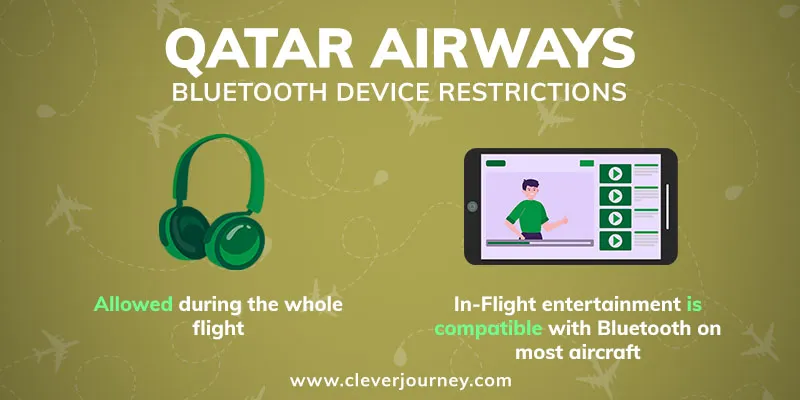
As for Bluetooth Headphones, you can use them during the flight. A key innovation on Qatar Airways is the introduction of Bluetooth connectivity, particularly in their Boeing 787-9 fleet. This allows passengers in both Business and Economy classes to pair their personal Bluetooth headphones with the in-flight entertainment system. For passengers with single-pin headphones, the system typically accommodates without needing an adapter. However, some models may require one.
Qatar Airways’ in-flight entertainment systems are equipped with double-pin receiver jacks, compatible with a wide range of headphone models. This ensures that passengers can either use the provided headphones or their personal ones, including popular noise-canceling variants, for an immersive entertainment experience.
Ryanair Bluetooth Headphone Restrictions
Bluetooth headphones can be used during the flight, except for taxi, takeoff, and landing.
Ryanair unfortunately doesn’t offer built-in in-flight entertainment or an entertainment app.
Southwest Airlines Bluetooth Headphone Restrictions
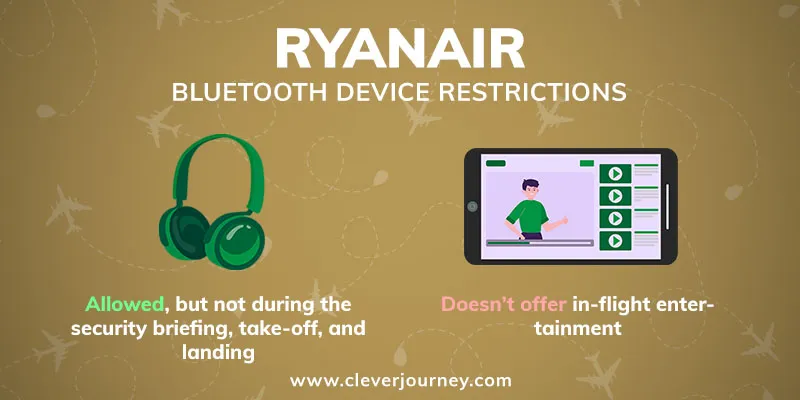
Southwest Airlines allows passengers to use Bluetooth headphones during all stages of the flight.
Southwest Airlines does not provide headphones to passengers; travelers must bring their own to utilize the in-flight audio services. Southwest operates on a BYOD (Bring Your Own Device) system, distinct from some other U.S. airlines that may provide in-flight headphones.
Passengers can use Bluetooth headphones throughout their journey on Southwest Airlines, ensuring wireless convenience.
They also offer a rich assortment of in-flight entertainment, including movies, TV shows, music, and live TV. All these can be accessed for free through their Inflight Entertainment Portal. For those wishing to stay online, in-flight Wi-Fi is available for $8 per device, with A-List Preferred Members receiving complimentary access.
Spirit Airlines Bluetooth Headphone Restrictions
Spirit Airlines does not supply complimentary headphones to passengers. Travelers are advised to bring their own headphones or earbuds. For those using portable electronic devices, headphones are essential for safety and courtesy to fellow passengers. Passengers using electronic devices should ensure their headphones fit a 3.5mm jack for compatibility.
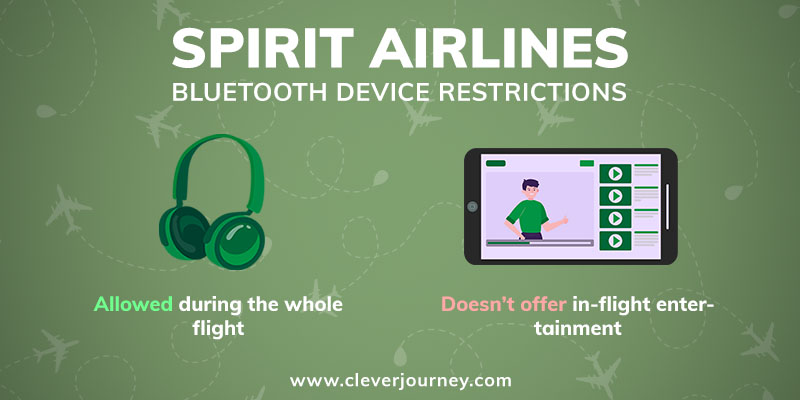
When it comes to Bluetooth headphones you can also use them on Spirit Airlines flights during all stages of the flight, including take-off, taxi, and landing.
Spirit Airlines, being an ultra-low-cost carrier, focuses on offering competitive fares rather than comprehensive in-flight amenities. Although they don’t have traditional in-flight entertainment systems, most of their aircraft are equipped with Wi-Fi, allowing passengers to stream content on their personal devices. The cost of Wi-Fi varies based on the chosen plan and flight route.
Turkish Airlines Bluetooth Headphone Restrictions
Turkish Airlines provides regular headphones to all passengers, adding to the enjoyment of their comprehensive in-flight entertainment. The airline places a strong emphasis on comfort and overall satisfaction, extending beyond the provision of headphones to include a range of amenities and services. While the type of headphones that are provided (such as noise-canceling) is not specified, passengers can bring their own for personal preference.
Bluetooth headphones are also allowed on Turkish Airlines flights, except for takeoff and landing. However, using Bluetooth headphones might be limited due to compatibility issues on some flights.
Turkish Airlines also provides an entertainment system: A diverse array of TV channels, music, and more is available, allowing passengers to enjoy various content privately. They also offer in-flight connectivity, allowing passengers to stay connected and work efficiently using their own devices.
United Airlines Bluetooth Headphone Restrictions
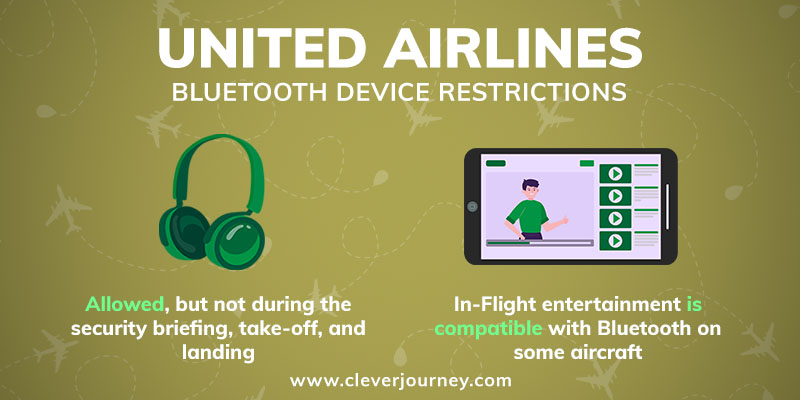
On United Airlines flights, passengers can use Bluetooth headphones, but not during take-off and landing.
When it comes to headphones on United First Class passengers receive high-quality branded headphones (such as Bose) to enhance their viewing and listening experience. They have the choice to use personal headphones if they wish. In Economy Class headphones might not be provided to every passenger, so carrying your own set, especially wired ones, is advised.
As for Bluetooth Connectivity – United Airlines stands out as the first US airline to support Bluetooth headphones on board, especially in their new Boeing 737 Max 8 jets. This allows passengers to seamlessly connect their wireless headphones to the in-flight system. We need to add that some older aircraft might not have Bluetooth support.
United Airlines In-Flight Entertainment offers “United Private Screening” showcasing the latest movies and TV shows. Additionally, select flights provide DIRECTV, offering over 100 live channels, and an inflight magazine is available.
Virgin Atlantic Bluetooth Headphone Restrictions
Virgin Atlantic offers complimentary headphones to all passengers regardless of class. However, some travelers have expressed concerns about their quality, notably the lack of noise-canceling capabilities. Given the long-haul nature of many Virgin Atlantic flights, passengers might consider bringing their own headphones for enhanced audio quality.
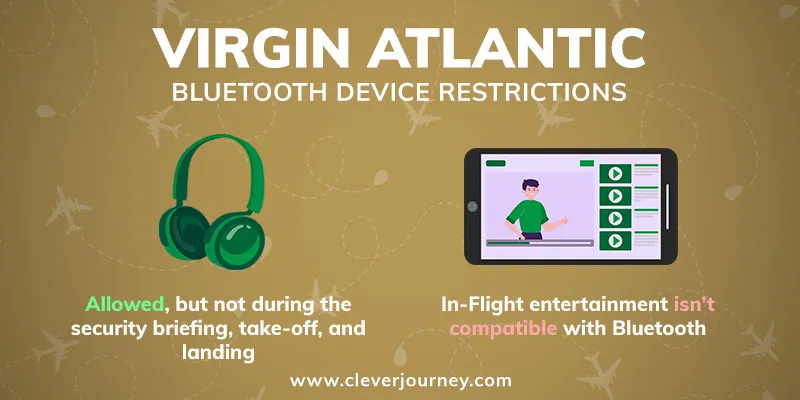
Bluetooth headphones can be used on Virgin Atlantic flights, except for takeoff and landing.
Virgin Atlantic’s in-flight entertainment system, known as VERA, boasts a rich array of movies, TV shows, and music. However, it doesn’t natively support Bluetooth headphones. A workaround is using a 3.5mm Bluetooth headphone transmitter plugged into VERA’s headphone socket, allowing travelers to pair their wireless headphones with the system. So those seeking a high-quality audio experience might want to bring their headphones and a Bluetooth transmitter for wireless convenience.
Passengers also have access to Wi-Fi during their journey, keeping devices in flight mode. Various internet packages are available, with costs varying.
WestJet Bluetooth Headphone Restrictions
WestJet Airlines does not supply headphones for passengers, making it important for travelers to bring their own. Passengers are advised to carry wired headphones or earbuds to connect to the in-flight entertainment system. It’s also recommended to have an adapter handy if your device requires a single or double-prong connection.
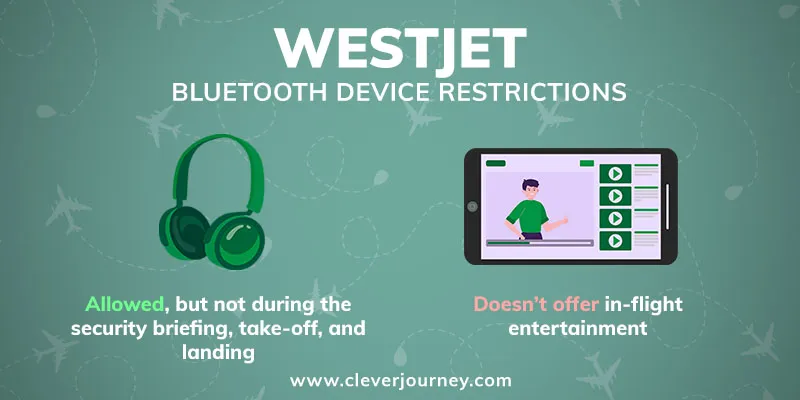
On flights with WestJet, you can use Bluetooth headphones during the flight, except for takeoff and landing. Passengers are required to present their Bluetooth devices for inspection during the safety briefing.
In-Flight Entertainment: WestJet Connect offers a vast selection of entertainment, featuring hundreds of hours of free streaming content. To enjoy WestJet Connect, passengers need to use their personal devices, such as smartphones, tablets, or laptops, and their headphones or earbuds.
Wizz Air Bluetooth Headphone Restrictions
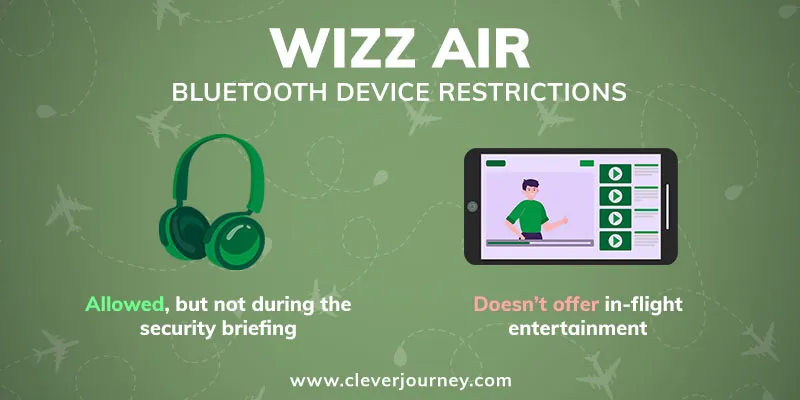
Wizzair does not provide headphones or in-flight entertainment to passengers, adhering to a bring-your-own-device (BYOD) philosophy. Given its position as a budget airline, Wizzair focuses on offering affordable fares, streamlining its services by omitting extra amenities.
As Wizz tweeted “you can use your Bluetooth headphones as long as your phone is in airplane mode.”
So Bluetooth headphones are allowed on board, however, it’s essential to remove them during security announcements.
Frequently Asked Questions About Using Wireless Headphones on Planes
Can I listen to AirPods and other wireless earbuds on planes?
You’ll also be able to connect your AirPods to the in-flight entertainment systems on some aircraft. However, when flying with other airlines, where connection is not available you’ll need to purchase an airplane audio jack Bluetooth adapter, or use a pair of wired headphones.
Are all Bluetooth devices allowed on planes (mice, phones, laptops, tablets, etc.)?
Why can’t I listen to headphones during takeoff and landing?
Do I have to take out Bluetooth headphones when going through airport security?
Which are the best Bluetooth headphones for travel?
If you can live without the noise-canceling feature, then the next best option would be to purchase a pair of good wireless earbuds, since they’ll take up much less space in your luggage. The Beats Studio Buds are an excellent choice with comfortable wear, a listening time of 8 hours, and another 16 hours of charge time from the charging case.
Can I charge my Bluetooth headphones on planes?
Some aircraft also have dedicated sockets or USB ports to charge devices directly from the airplane, so a regular charger will do. However, these are usually available only on premium airlines, and they’re somewhat rare, so bringing a power bank is a smarter choice.

 (5 votes, average: 4.40 out of 5)
 Loading…














Fantastic post, Oscar! Your mention of using user experience research to improve web layout resonated with me. I’ve noticed the positive effect it’s had on customer retention in my work as a UI/UX designer. Do you use heuristic evaluations or user surveys more frequently in your research? I feel A/B testing serves a crucial role too, wondering about your thoughts? I guess many readers might find it illuminating to delve more into different research methods. On a side note, I recall a stellar experience while doing user research for a charity site where we discovered previously unmet needs, making us revolutionize the stark and rigid layout. Passion ignites the best work, yeah? Exploring the holistic interplay between psychology, aesthetics, and function can be incredibly rewarding, don’t you think? 🚀🎨 Let’s keep enriching the web landscape together!